Installation
Step 1: Upload Extension Files
Upload the Blog extension files to your Paymenter installation:
/var/www/paymenter/extensions/Others/Blog/
Upload all Blog files to
extensions/Others/Blog/
using SFTP or your preferred file transfer method.
Step 2: Enable Extension
Enable the extension in your Paymenter admin panel:
Admin Panel → Extensions → Others → Blog → EnableThe extension will automatically run database migrations when enabled.
Configuration
Accessing the Blog Manager
After enabling, a new Articles tab will appear in your admin sidebar. Click it to access the blog manager.
Settings
Access blog settings at Admin Panel → Extensions → Others → Blog → Configure :
| Setting | Description | Default |
|---|---|---|
| Enable Comments | Allow comments on articles | Off |
| Moderate Comments | Require approval before publishing | On |
| Articles Per Page | Number of articles per page | 10 |
| Enable RSS Feed | Generate RSS feed for articles | On |
| Show Author | Display author name on articles | On |
Creating Articles
- Navigate to Admin Panel → Articles → Create
- Enter article title
- Write content (Markdown supported)
- Select category
- Add tags (optional)
- Set featured image (optional)
- Set status (Published/Draft)
- Click Save
Managing Categories
- Go to Admin Panel → Articles → Categories
- Create categories to organize your articles
- Set category descriptions
- Arrange display order
Usage
For Visitors
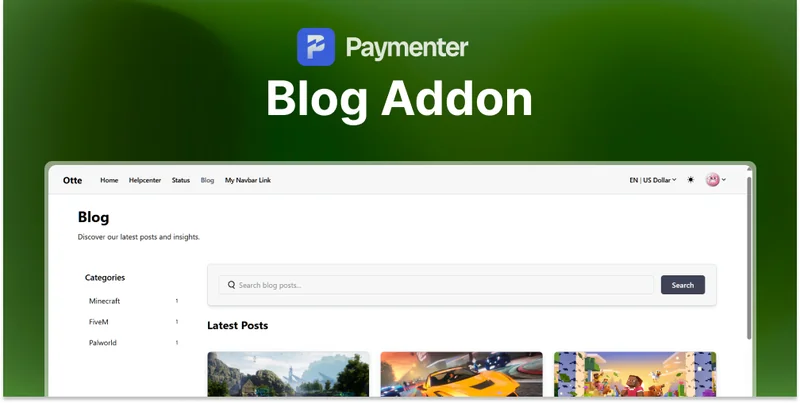
Your blog is accessible at:
https://yourdomain.com/blogFeatures:
- Browse articles by category
- Search articles
- Read full articles
- Share articles
For Administrators
- View article analytics
- Manage comments (if enabled)
- Schedule articles for future publication
Need Help?
Join our Discord Server and open a ticket for support.
© 2026 Blog Extension - BuiltByOtte . All rights reserved.