Installation
Step 1: Upload Extension Files
Upload the PrivacyTools extension files to your Paymenter installation:
/var/www/paymenter/extensions/Others/PrivacyTools/
Upload all PrivacyTools files to
extensions/Others/PrivacyTools/
using SFTP or your preferred file transfer method.
Step 2: Enable Extension
Enable the extension in your Paymenter admin panel:
Admin Panel → Extensions → Others → PrivacyTools → EnableThe extension will automatically run database migrations when enabled.
Configuration
Settings
Access settings at Admin Panel → Extensions → Others → PrivacyTools → Settings :
| Setting | Description | Default |
|---|---|---|
| Enable Data Export | Allow users to request data export | On |
| Enable Account Deletion | Allow users to request account deletion | On |
| Export Format | Format for data exports (JSON/CSV) | JSON |
| Deletion Delay | Days to wait before processing deletion | 7 |
| Notify Admin | Email admin for deletion requests | On |
Data Export Configuration
Configure what data is included in exports:
| Data Type | Description |
|---|---|
| Profile Data | Name, email, address |
| Orders | Purchase history |
| Tickets | Support ticket history |
| Invoices | Invoice records |
| Login History | Login timestamps and IPs |
Managing Requests
Access the Privacy Tools admin panel:
Admin Panel → Extensions → PrivacyTools → RequestsHere you can:
- View pending data export requests
- View pending deletion requests
- Approve or reject requests
- Download exported data
Usage
For Users
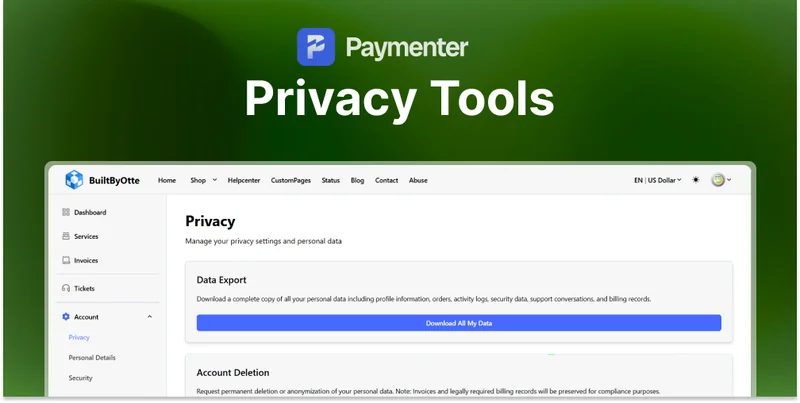
Users can access the Privacy Center from their account:
Account → Privacy CenterFeatures available:
- View stored personal data
- Request data export
- Request account deletion
- Manage consent preferences
For Administrators
- Review all privacy requests
- Export user data on their behalf
- Process deletion requests
- View GDPR compliance dashboard
Need Help?
Join our Discord Server and open a ticket for support.
© 2026 PrivacyTools Extension - BuiltByOtte . All rights reserved.