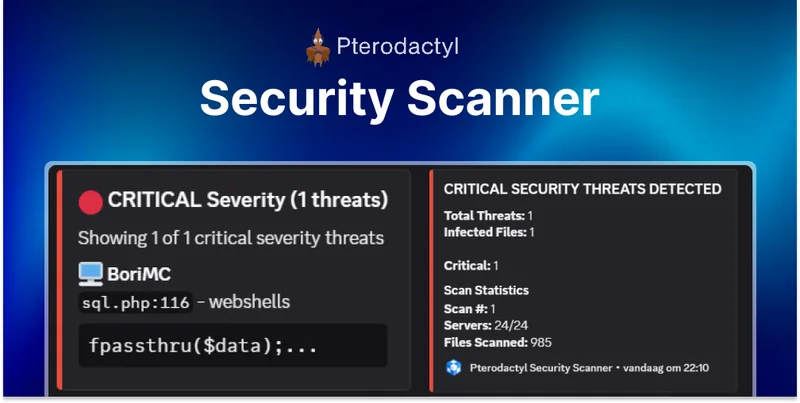
Security Scanner | Pterodactyl v1.x
Which edition is this? This is the Pterodactyl v1.x / 0.7 edition, installed as a standalone service on your Wings server(s). Running Pterodactyl v2.x? Use the Security Scanner (v2) edition instead — the two are not interchangeable.
Important: This addon only adds some files to your nodes. Because of that, these steps need to be done on your Wings server , not the panel.
Installation
Step 1: Create Directory & Upload Files
Create the SecurityScanner directory and upload the files:
sudo mkdir -p /opt/securityscannercd /opt/securityscanner
Upload all SecurityScanner files to
/opt/securityscanner
using SFTP or your preferred file transfer method.
Step 2: Install Dependencies
Install Node.js and project dependencies:
curl -fsSL https://deb.nodesource.com/setup_22.x | sudo -E bash -sudo apt-get install -y nodejsnpm installStep 3: Configure
Edit
config.yml
with your Pterodactyl API keys and server paths:
nano config.yml
Important:
You need an Application API key (starts with
ptla_
), not a Client API key. Set the correct Wings base path where your server files are stored (usually
/var/lib/pterodactyl/volumes
).
Configuration
Pterodactyl API Configuration
In your
config.yml
, configure:
panel:
  url: https://panel.example.com
  api_key: ptla_xxxxxxxxxxxxx
Wings Server Paths
Set the correct paths for your Wings installation:
wings:
  base_path: /var/lib/pterodactyl/volumes
Discord Notifications (Optional)
Enable Discord webhook notifications:
discord:
  webhook_url: https://discord.com/api/webhooks/xxxxx
Step 4: Run the Service
Install PM2 and start the service:
sudo npm install -g pm2sudo pm2 start index.js --name securityscannersudo pm2 save
sudo pm2 startupUsage
Once running, Security Scanner will automatically:
- Scan all server files for malware and security threats
- Monitor for suspicious files and patterns
- Send notifications via Discord (if configured)
- Log all security events
Managing the Service
| Command | Description |
|---|---|
sudo pm2 status |
Check service status |
sudo pm2 logs securityscanner |
View logs |
sudo pm2 restart securityscanner |
Restart the service |
sudo pm2 stop securityscanner |
Stop the service |
Need Help?
Join our Discord Server and open a ticket for support.
© 2026 Security Scanner — BuiltByOtte . All rights reserved.