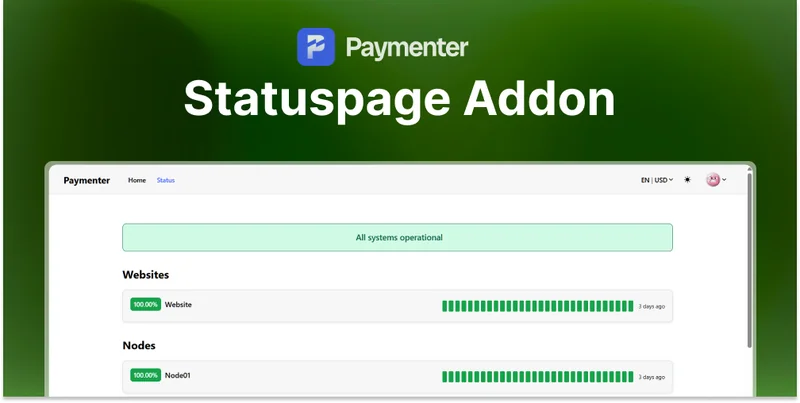
Appearance
Statuspage Extension
Thank you for your purchase!
Installation
Step 1: Upload Extension Files
Upload the Statuspage extension files to your Paymenter installation:
/var/www/paymenter/extensions/Others/Statuspage/Upload all Statuspage files to extensions/Others/Statuspage/ using SFTP or your preferred file transfer method.
Step 2: Upload CheckMonitors Command
Upload the CheckMonitors.php file to your commands directory:
/var/www/paymenter/app/Console/Commands/CheckMonitors.phpStep 3: Install Cronjob
Set up the monitoring cronjob. Run crontab -e and add:
bash
* * * * * php /var/www/paymenter/artisan statuspage:check >> /dev/null 2>&1This runs the status checks every minute.
Step 4: Enable Extension
Enable the extension in your Paymenter admin panel:
Admin Panel → Extensions → Others → Statuspage → EnableConfiguration
Settings
Access settings at Admin Panel → Extensions → Others → Statuspage → Settings:
| Setting | Description | Default |
|---|---|---|
| Check Interval | How often to check monitors (minutes) | 1 |
| Timeout | Request timeout in seconds | 10 |
| Retry Count | Retries before marking as down | 3 |
| Public URL | Custom status page URL | /status |
Creating Monitors
After enabling, access the Monitors tab:
Admin Panel → MonitorsClick Create Monitor and configure:
| Field | Description |
|---|---|
| Name | Display name for the service |
| Type | HTTP, TCP, or Ping |
| URL/Host | Endpoint to monitor |
| Port | Port for TCP checks |
| Expected Status | Expected HTTP status code |
| Keywords | Keywords to check in response |
| Group | Category for grouping |
Monitor Types
| Type | Description |
|---|---|
| HTTP | Check web endpoints for status codes |
| TCP | Check if a port is open |
| Ping | ICMP ping to check if host is up |
Creating Incidents
Report incidents manually:
- Go to Admin Panel → Monitors → Incidents
- Click Create Incident
- Select affected monitors
- Set severity (Investigating, Identified, Monitoring, Resolved)
- Add description
- Post update
Usage
Public Status Page
Your status page is accessible at:
https://yourdomain.com/statusFeatures:
- Real-time status of all monitors
- Uptime percentages (24h, 7d, 30d)
- Incident history
- Subscribe to updates (if enabled)
API Access
Get status via API:
GET /api/statusReturns JSON with all monitor statuses.
Need Help?
Join our Discord Server and open a ticket for support.
© 2025 Statuspage Extension - BuiltByOtte. All rights reserved.

