Requirements
- Pterodactyl Panel v2.0 or newer (the extension system).
- A Minecraft (Java) server. The reads for inventory, stats and advancements use the standard Minecraft world files.
- The user opening the page needs the server permission
ext.player-manager.manage(server owners and admins have it by default).
Installation
Step 1: Download
Download player-manager-1.0.0.pteroext from your purchase. This single file is the whole extension.
Step 2: Install in the Panel
- Sign in to your Panel as an administrator.
- Go to Admin, Extensions.
- Click Install and upload the
.pteroextfile. - Toggle the extension on to enable it, then reload the page.
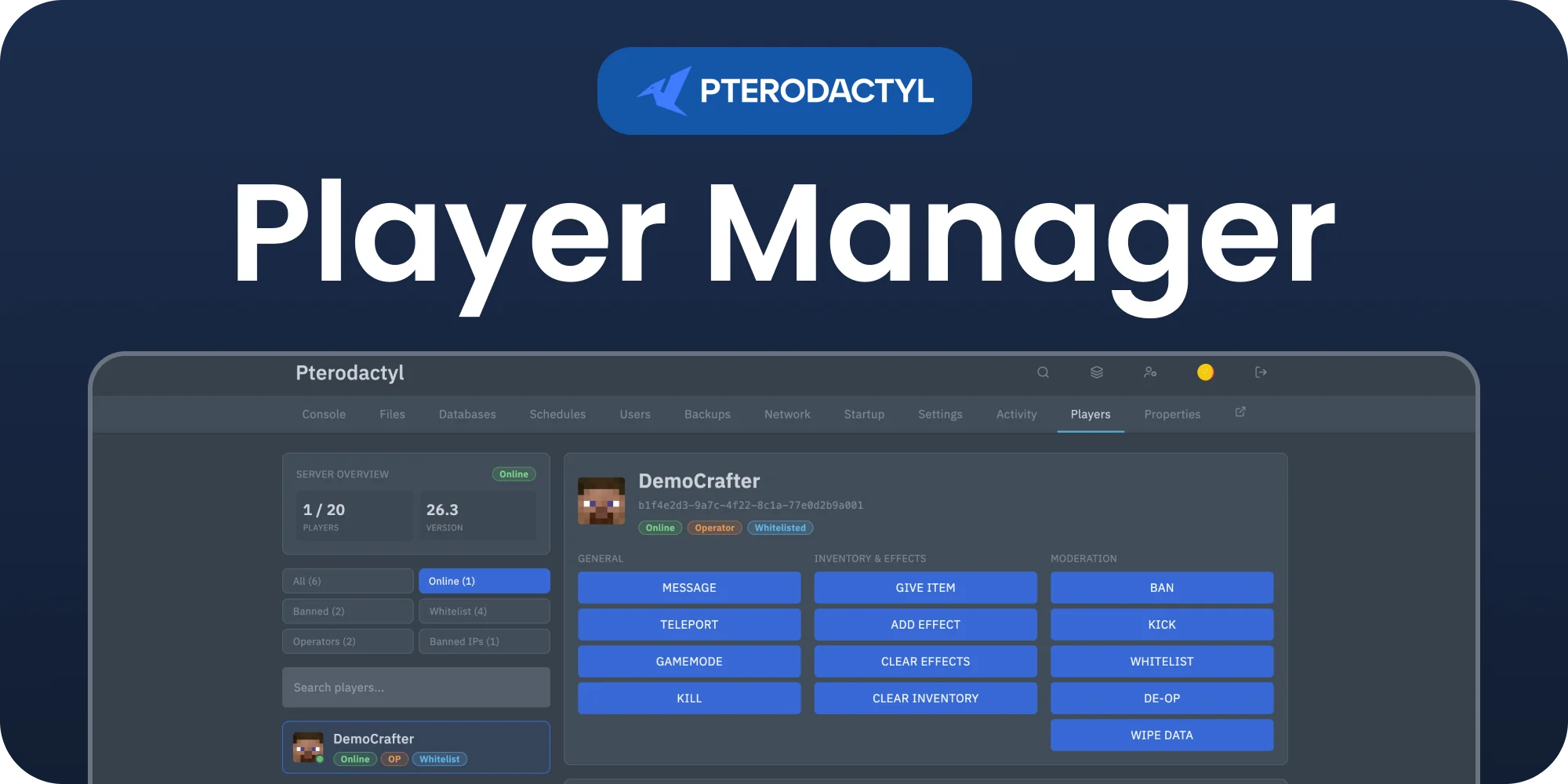
A Players tab now appears in the sidebar of each Minecraft server.
Alternative: install from the command line
php artisan p:extension:install player-manager-1.0.0.pteroext --enableFeatures
| Area | What you can do |
|---|---|
| Online | See who is online in real time with player heads. The list updates instantly when a player joins or leaves. Kick, Ban, or open the full Manage panel for any player. |
| Whitelist | Turn the whitelist on or off, reload it, and add or remove players. |
| Bans | View and manage banned players and banned IP addresses, with ban and unban. |
| Operators | View operators, grant OP, and remove OP. |
| Manage panel | Per player: Overview (health, food, XP, game mode, dimension, position), Inventory and Ender Chest viewers, Advancements, Stats, and an Actions tab (OP, game mode, give item, teleport, message, kick, ban, clear inventory, wipe data). |
Live updates
The online list updates the moment a player joins or leaves, with no polling, so the server console is not flooded with commands. A light background refresh runs every 30 seconds as a safety net.
Safe by default
Every sensitive action asks for confirmation before it runs: kick, ban, unban, OP, deop, clear inventory, disabling the whitelist, and more. Wipe data is the strongest: it requires you to type the player's name before the button becomes active, so it cannot be triggered by a misclick.
Permissions
The Players page is gated by the server permission ext.player-manager.manage.
Server owners and administrators have it automatically. To let a sub user open it, grant
that permission in the server's User editor. Commands run through the Panel's own client
API, so they are also checked against the user's normal console and control permissions.
Notes
- The inventory and ender chest are read only. To change what a player is carrying, use Give, Clear inventory, or Wipe data.
- Player data (inventory, stats, advancements) is written by Minecraft on save or disconnect. If a brand new player shows no data yet, run
save-allor wait for the next save. - Both the current world layout and older layouts are supported automatically.
Managing the extension
| Action | How |
|---|---|
| Disable without removing | Toggle the extension off, or php artisan p:extension:disable player-manager |
| Update | Install the newer .pteroext over the top from the Extensions page |
| Remove | Click Remove on the Extensions page, or php artisan p:extension:remove player-manager |
Privacy
When an administrator opens the panel, their browser sends the extension name and version to api.builtbyotte.com, at most once per hour. We use this to count active installations. No player, server or account data is included. Like any web request, it shows the address of your panel and the IP address of that browser to our server.
Nothing is sent when the browser has Do Not Track or Global Privacy Control turned on. To turn it off in one browser, run localStorage.setItem('bbo:analytics:disabled', '1') in the browser console.
Need Help?
Join our Discord Server and open a ticket for support.