Requirements
- Pterodactyl Panel v2.0 or newer (the extension system).
- A Cloudflare account that manages the domains you want to offer.
- Outbound internet access from the Panel so it can reach the Cloudflare API.
- The user opening the page needs the server permission
ext.subdomain-manager.manage.
Installation
The entire install happens in the Panel. There is nothing to upload to your nodes.
Step 1: Download the extension
Download
subdomain-manager-1.0.0.pteroext
from your purchase. The .pteroext is the installable build; the
accompanying -source.zip contains the editable source.
Step 2: Install in the Panel
- Sign in to your Panel as an administrator.
- Go to Admin → Extensions.
- Click Install and upload the
.pteroextfile. - Toggle the extension on to enable it, then reload the page.
A Subdomain Manager entry now appears in the admin sidebar, and a Subdomains tab appears in the sidebar of each server.
Alternative: install from the command line
php artisan p:extension:install subdomain-manager-1.0.0.pteroext --enableConnect Cloudflare
Open Admin → Subdomain Manager and then the extension's Settings tab. Choose one of two ways to authenticate:
-
API token (recommended): in your Cloudflare dashboard create a token
with
Zone:ReadandDNS:Editon the zones you want to serve, and paste it into API token. - Global API key: paste your account email and global API key instead. This is less safe because the key can touch your whole account.
Set Max subdomains per server to limit how many each server may create
(0 means unlimited). Back on the Subdomain Manager page, click
Test Cloudflare to confirm the credentials work.
Add domains
On the Subdomain Manager page click Add domain and fill in:
- Domain: the root zone, for example
example.com. - Zone ID (optional): leave blank to look it up automatically by domain name, or paste a specific Cloudflare zone id.
- Available for: the eggs allowed to use this domain. Leave empty to allow every egg.
-
Default record type:
SRVhides the port so players connect using just the name (best for Minecraft), whileCNAMEkeeps the port. This applies to every egg that is left on "Use default". -
Service and Protocol (SRV only): default to
_minecraftandtcp. -
Per-egg record type: when you pick specific eggs, each one can override
the default. For example set SRV with
_minecraftfor a Minecraft egg and CNAME for a web panel egg on the same domain. Each SRV override has its own service and protocol.
The page also lists every subdomain currently in use across all servers.
Using subdomains (server owners)
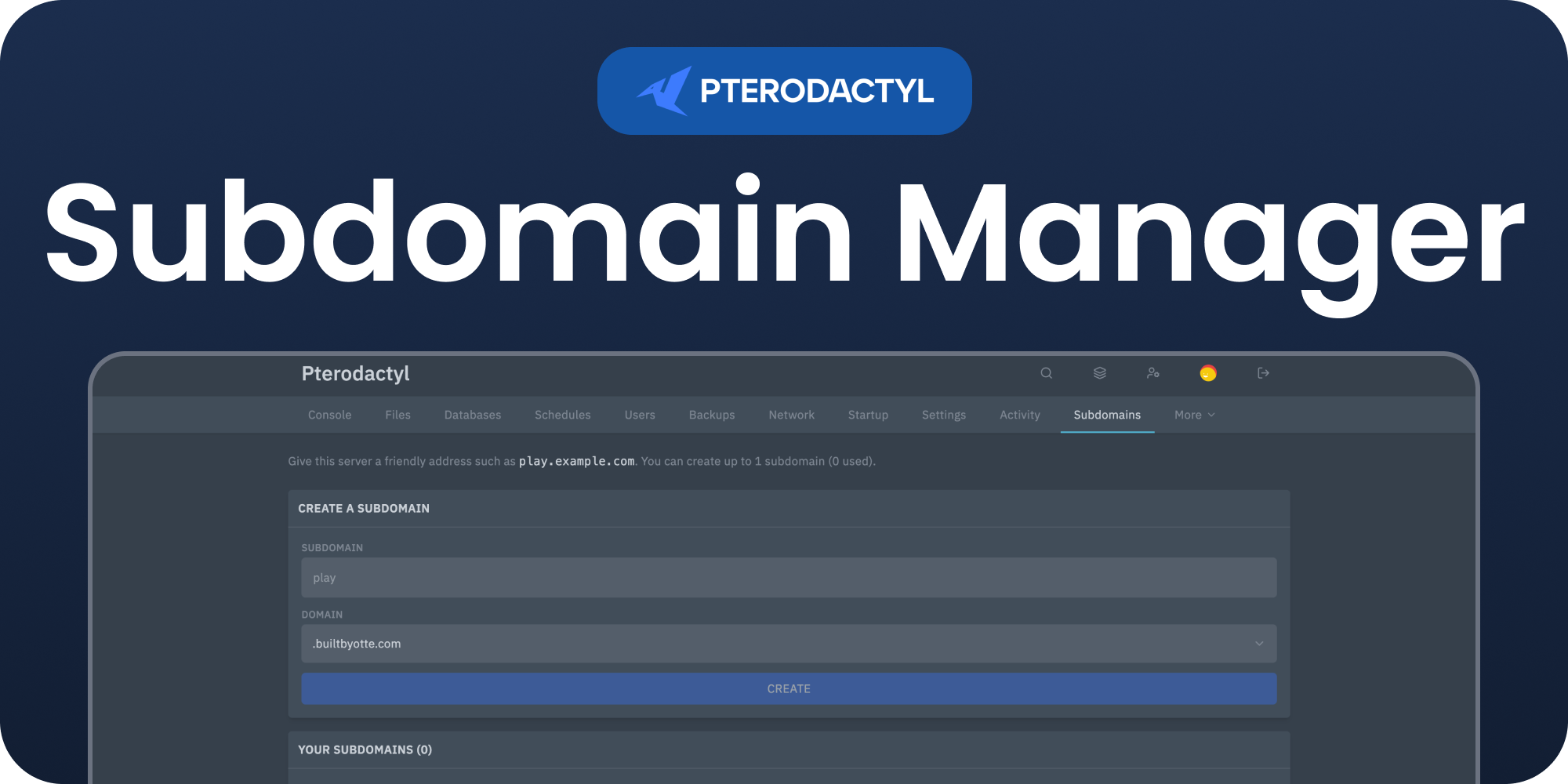
Open a server and click Subdomains in the server sidebar. Type a name, pick one of the available domains, and click Create. The matching Cloudflare record is created and pointed at the server's primary allocation. Minecraft players can then connect with the name alone; other games keep the port.
Click Remove next to a subdomain to delete its DNS record and free the name. DNS changes can take a few minutes to spread across the internet.
Automatic cleanup
When a server is deleted, every subdomain it owned is removed from Cloudflare automatically. Deleting a domain from the admin page removes all of its subdomains as well.
Permissions
The Subdomains page requires the ext.subdomain-manager.manage server
permission. Server owners and administrators normally have it; grant it to sub users in
the server's User editor. The admin Subdomain Manager page and its settings are limited
to Panel administrators.
Managing the extension
| Action | How |
|---|---|
| Disable without removing | Toggle the extension off, or php artisan p:extension:disable subdomain-manager |
| Update | Install the newer .pteroext over the top from the Extensions page |
| Remove | Click Remove on the Extensions page, or php artisan p:extension:remove subdomain-manager |
Notes
- DNS records are created and deleted through the Cloudflare API only; records you add by hand in Cloudflare are left alone.
- CNAME records point at the allocation's IP alias, so set a hostname alias on the allocation if you use CNAME domains.
- Your Cloudflare credentials are stored in the Panel settings and are never shown to your users.
- Creating or removing a subdomain does not restart the server.
Need Help?
Join our Discord Server and open a ticket for support.
© 2026 Subdomain Manager, BuiltByOtte . All rights reserved.