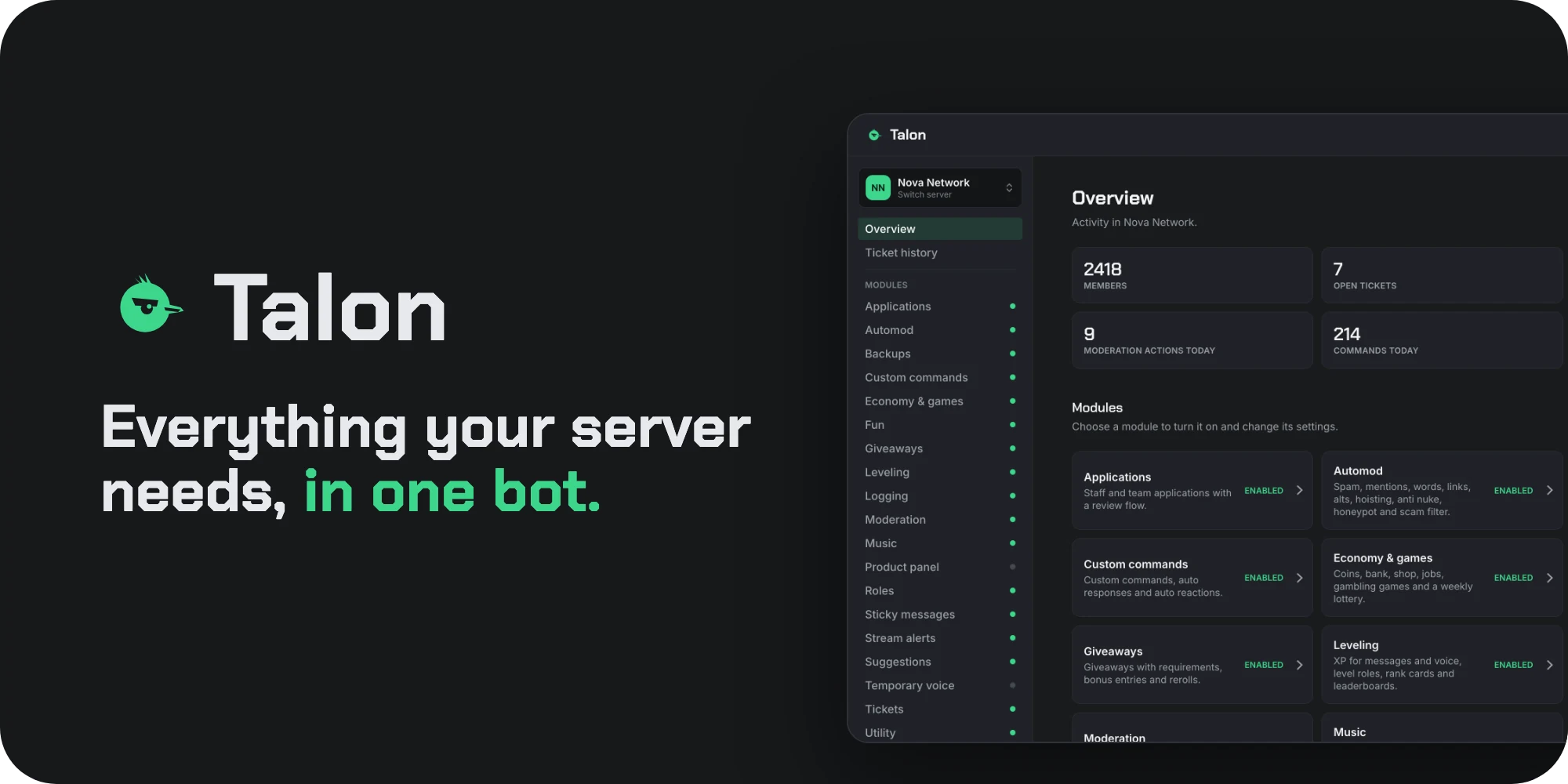
Features
- 21 modules in one bot: tickets, moderation, automod, logging, backups, leveling, economy, games, giveaways, suggestions, roles, verification, welcome messages, music, stream alerts, temporary voice, applications, sticky messages, custom commands, a product panel and utility commands.
- Web dashboard to change every setting per server, build messages with the embed builder and see activity, ticket and community statistics. It works on desktop, tablet and mobile.
- Built-in storage: everything is stored in one local file. You do not need MySQL, MongoDB or Redis.
- Commands are grouped per feature, for example
/tickets panel,/music playand/mod warn.
Requirements
- Node.js 24 or newer.
- A Discord application with a bot user. You create it in the next section.
- For the dashboard: a port the bot can listen on, and a domain or IP address you reach it on.
Creating the Discord application
- Open the Discord developer portal and click New Application.
- Open Bot, click Reset Token and copy the token. Keep it private.
- On the same page, turn on Server Members Intent and Message Content Intent. Talon needs both for welcome messages, leveling, logging and automod.
- Open OAuth2 and copy the Client ID and the Client Secret. The dashboard uses them to sign you in.
- Invite the bot with this link, replacing
CLIENT_ID:
Administrator is the simplest choice. Without it, give Talon the permissions for the modules you use, such as Manage Roles, Manage Channels, Moderate Members and Ban Members, and keep its role above the roles it should manage.https://discord.com/oauth2/authorize?client_id=CLIENT_ID&scope=bot+applications.commands&permissions=8
Installation
- Unzip
Talon v1.0.zipand upload thetalon-1.0.0folder to your host. - Install the dependencies in that folder:
npm install --omit=dev - Copy
.env.exampleto.envand fill in at leastTALON_TOKEN. You can also put the token inconfig/config.ymlunderToken. - Start the bot:
Slash commands register on their own when the bot comes online.npm start
To keep Talon running after you close the terminal, run it with a process manager such as pm2 or a systemd service.
Hosting on Pterodactyl or another game panel
- Create a server with a Node.js egg set to Node 24 or newer.
- Upload the contents of
talon-1.0.0to the server and set the startup file tosrc/index.js. - Fill in
.env, or set the same names as variables in the panel. - For the dashboard, give the server a port allocation, set
TALON_DASHBOARD_HOSTto0.0.0.0andTALON_DASHBOARD_PORTto that port.
Configuration
Talon creates its config files on the first start. Changes to the files in config/modules are picked up the moment you save them. Restart the bot after changing config.yml or .env.
| File | What it holds |
|---|---|
.env | Token, dashboard login details and other secrets. Values here win over config.yml. |
config/config.yml | Bot owners, the accent colour, the bot status, the dashboard, music limits, Twitch and Kick keys, prefix commands and the update check. |
config/modules/*.yml | The default settings of each module. Settings you change in the dashboard are stored per server and win over these files. |
data/talon.db | All data: tickets, levels, economy, warnings, giveaways and dashboard settings. Back this file up. |
Environment variables
| Name | Use |
|---|---|
TALON_TOKEN | The bot token. |
TALON_CLIENT_ID, TALON_CLIENT_SECRET | For signing in to the dashboard. |
TALON_DASHBOARD_URL | The address you open the dashboard on, for example https://bot.example.com. |
TALON_DASHBOARD_HOST, TALON_DASHBOARD_PORT | Where the dashboard listens. Keep 127.0.0.1 behind a reverse proxy, use 0.0.0.0 to listen on every address. |
TALON_OWNER_IDS | Your Discord user ID, comma separated for more owners. |
TALON_GUILD_IDS | Optional. Register commands only in these servers, which makes them appear instantly. |
Web dashboard
- Set
TALON_CLIENT_ID,TALON_CLIENT_SECRETandTALON_DASHBOARD_URL. - In the developer portal, open OAuth2 and add
TALON_DASHBOARD_URLfollowed by/callbackas a redirect, for examplehttps://bot.example.com/callback. - Restart the bot and open the dashboard URL. Sign in with Discord and pick a server.
Only members with Manage Server in a server can change its settings. For a public address, put the dashboard behind a reverse proxy with HTTPS, such as Nginx, Caddy or Nginx Proxy Manager.
Embed builder
Build messages as Components V2 or as classic embeds. In V2 you stack bricks: cards with an accent colour, text, sections with a thumbnail or button, image galleries, dividers and link buttons. Save drafts, post them in any channel and update every posted copy later. Import JSON accepts Discord message JSON, for example from Discohook.
Commands
| Command | Module |
|---|---|
/tickets | Ticket panels, claiming, priorities, transcripts and statistics |
/mod | Warnings, timeouts, kicks, bans, purge, notes and reports |
/scamfilter | Known scam images for automod |
/backup | Server backups and restores |
/level | Rank cards, leaderboards and level changes |
/economy | Coins, jobs, shop, casino games, pets, heists and the lottery |
/fun | Wordle, hangman, connect four, 2048, tic tac toe and fun commands |
/giveaway | Giveaways with requirements and rerolls |
/suggestions | Suggestions and staff answers |
/reactionroles, /invites | Role panels and invite tracking |
/verification | Verification panel with a button, a sum or an image captcha |
/welcome | Preview of the welcome and leave messages |
/music | Play, queue and control music in voice |
/voice | Control your temporary voice channel |
/streams | Stream alerts |
/applications, /sticky, /custom, /products | Applications, sticky messages, custom commands and the product panel |
/util | Help, server and user info, polls, reminders, announcements and more |
Notes per module
- Music plays YouTube, Spotify, SoundCloud, Apple Music, Deezer and Vimeo links or a search. It downloads its audio helper on the first song, which takes a few seconds.
- Stream alerts for Twitch and Kick need an application on their developer sites; put the keys under
TwitchandKickinconfig.yml. YouTube and TikTok work without keys. - Welcome images are off by default. Turn on Generate a welcome image in the Welcome module; the dashboard shows a live preview.
- Temporary voice is off by default. Pick one or more join channels in the dashboard and turn it on.
- Statistics count from the moment Talon is in your server.
Addons and translations
Put your own modules in an addons folder next to src. A module exports its name, settings, commands and events, the same way the built-in modules do. To change bot texts, add a language file in config/lang and set Language in config.yml.
Updating
- Stop the bot and back up
data,configand.env. - Replace everything else with the files from the new zip.
- Run
npm install --omit=devand start the bot.
The console tells you when a new version is available. Turn this off with UpdateCheck: false.
Troubleshooting
- "Used disallowed intents" when starting: turn on Server Members Intent and Message Content Intent in the developer portal.
- Commands do not show up: global commands can take a while to appear. Set
TALON_GUILD_IDSto register them in your server right away, and check that the bot was invited with theapplications.commandsscope. - Dashboard login fails: the redirect in the developer portal must match
TALON_DASHBOARD_URLplus/callbackexactly. - Talon cannot give a role: move the Talon role above that role in the server settings.
- "Application did not respond": check the console for an error. Open a ticket on our Discord with that error and we will help you.