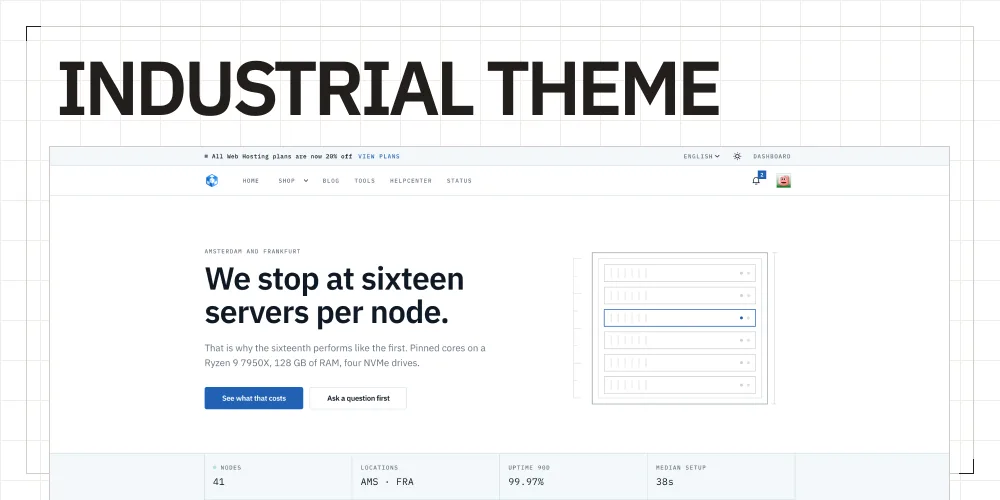
Industrial gives your Paymenter installation a complete storefront experience that is flexible enough for hosting businesses of every size.
Features
- Live visual editor for real-time theme customization.
- 276 settings for detailed control over your storefront.
- Page and product builders.
- Cart sign-in for returning customers.
- 27 language options.
Installation
Step 1: Upload the theme files
Upload the complete industrial theme folder to:
/var/www/paymenter/themes/industrial/Keep the folder name exactly industrial and do not nest another industrial directory inside it.
Step 2: Upload IndustrialEditor
Upload the IndustrialEditor extension to:
/var/www/paymenter/extensions/Others/IndustrialEditor/Step 3: Enable the editor
Open the Paymenter admin panel and enable the extension:
Admin Panel -> Extensions -> IndustrialEditor -> EnableStep 4: Select Industrial
Open the Paymenter theme settings, select Industrial, and save your changes. The live visual editor is then available for configuring the theme.
Configuration
Use the Industrial editor to customize branding, navigation, pages, products, languages, and checkout.
Requirements
- Access to the Paymenter theme and extensions directories.
- Theme files in
/var/www/paymenter/themes/industrial. - IndustrialEditor in
/var/www/paymenter/extensions/Others/IndustrialEditor.
Need Help?
Join our Discord Server and open a ticket for support.