Text Version
Advanced Pterodactyl for Paymenter: The Whole Panel in Paymenter, with Auto Login
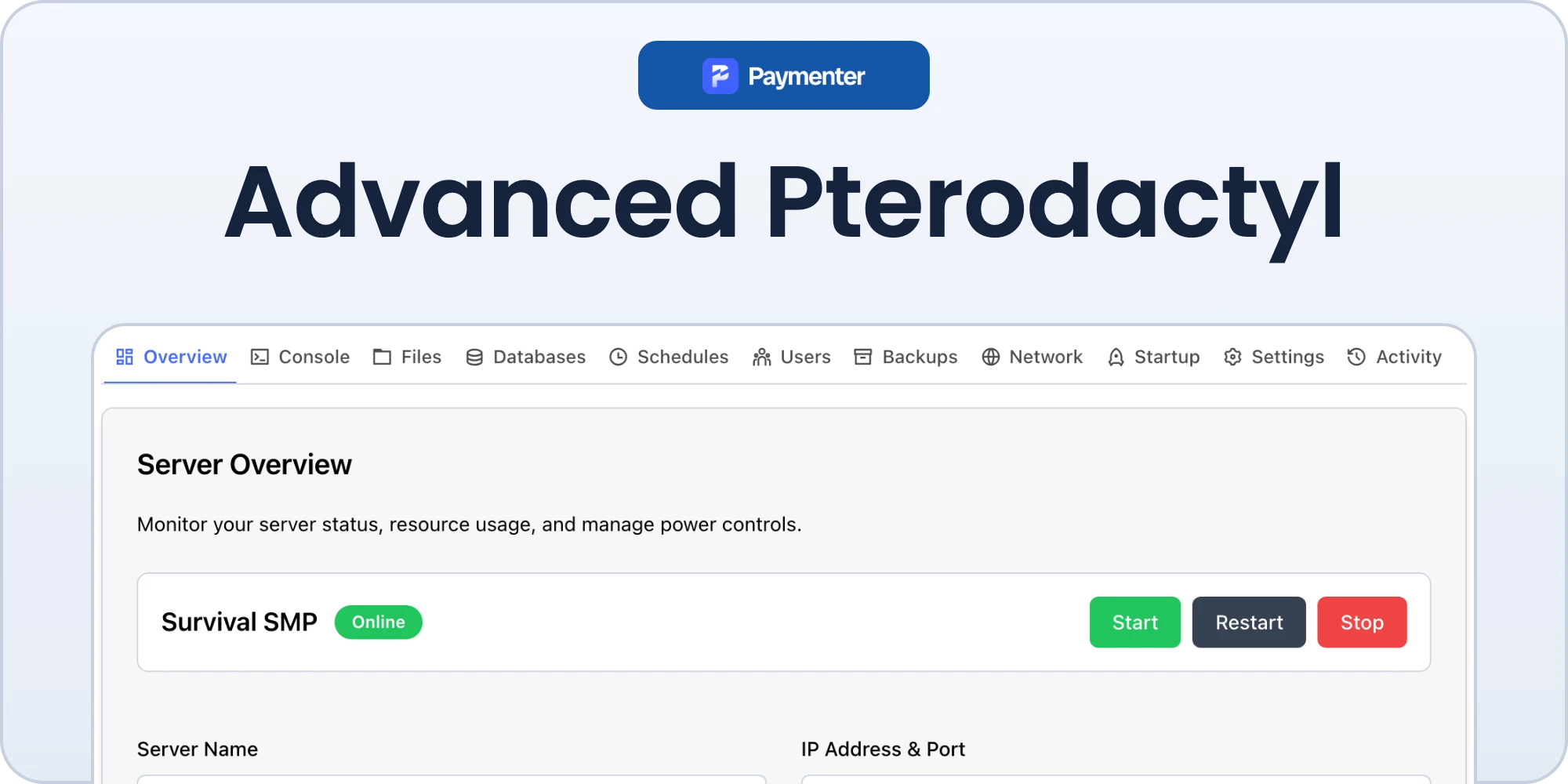
Give your customers the whole Pterodactyl panel inside Paymenter. A live console, file manager, databases, schedules, subusers, backups, network, startup, server settings and the activity log, plus one-click Auto Login to the panel. Works with Pterodactyl v1 and v2.
Live console
Live output with commands, and start, restart, stop and kill buttons, right in the client area.
File manager
Browse, edit, upload, rename, copy, archive, extract and chmod files. Drag and drop to upload.
Databases, schedules and subusers
Create databases and rotate their passwords. Cron schedules with tasks that can run right away. Invite subusers and set their permissions.
Backups
Create, download, lock, restore and delete backups, with the backup limit of the plan shown.
Network, startup and server settings
Allocations with notes and a primary port, the startup variables the egg allows, renaming, the docker image and reinstalling.
Activity log
Customers see everything that happened on their server.
Per tab control
Turn every tab on or off, and choose per tab whether customers can make changes or only look.
One-click Auto Login
Customers open the panel from Paymenter without a password. Every login link works once and expires after 60 seconds. Pterodactyl v1 uses the SSO plugin, Pterodactyl v2 uses the SSO extension that comes in the download.
Secure passwords
Panel passwords are stored encrypted. Customers can show the password or generate a new one, and get an email when someone uses Auto Login or views the password.
Pterodactyl v1 and v2
A switch in the settings. Products use nests on v1 and an optional tag on v2, and every feature works on both.
Checkout your way
Let customers name their server and pick the server type and location while they order.
Name templates
Servers without a name get one from your template, such as {username} {product_name} #{service_id}, per product or for all products. The same works for the server description.
Audit log and user sync
Power, file, backup, database, schedule, user, Auto Login and password actions show up in Admin, Audits with who and when. A new email or name in Paymenter is sent to the Pterodactyl user right away.
Live usage and power
CPU, memory, disk and network usage update live on the overview, next to the power buttons.
Automatic stock
Stock follows the free resources of your nodes, with a buffer, so you never sell a server you can't deliver.
Ports and dedicated IP
Assign ports to egg variables, set port ranges, and give a server an IP nobody else uses.
Upgrades and any theme
Plan changes update the server limits right away. Works with the default theme and custom themes.
Advanced Pterodactyl requires Paymenter v1.x and Pterodactyl v1 or v2.