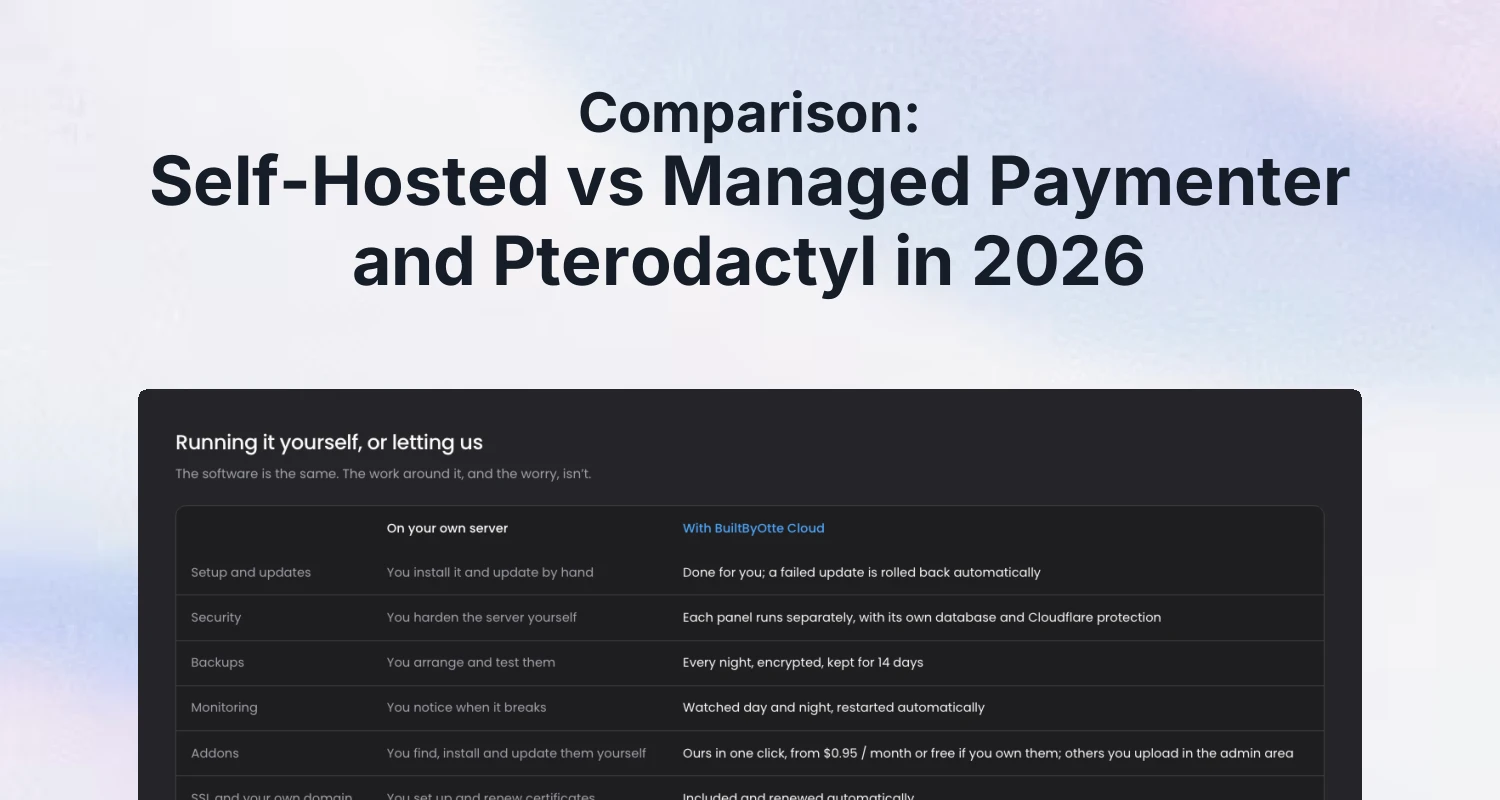
If you run one or a few panels and would rather spend your time on customers, managed hosting is usually the better deal: someone else installs, updates, backs up and monitors the software for a fixed monthly price. If you need root access, a custom server stack, or Wings on the same machine as the panel, self-hosting is the better choice, and it gets cheaper per panel the more of them you run.
Paymenter, Pterodactyl and Pelican are free, open-source software. You can manage the hosting yourself or have a host take care of it. This post compares the work, control and costs of each approach using the official documentation. We also offer managed hosting, so we explain where each option fits.
What self-hosting involves
The official guides give a good picture of the work. The Paymenter installation guide supports Ubuntu 24.04 and 22.04, Debian 11, 12 and 13, and CentOS 8 and 9, and does not support Windows. It has you:
- Install PHP 8.3 with the gd, mysql, mbstring, bcmath, xml, fpm, curl, zip, intl and redis extensions, plus MariaDB, nginx and Redis.
- Download the release, set file permissions and create a database and database user.
- Set up the
.envfile, generate an application key and run the database migrations. - Add a cron entry that runs the scheduler every minute.
- Create a systemd service that keeps the queue worker running.
- Configure the web server, on a separate page of the docs.
Pelican is similar. Its getting started page asks for PHP 8.5 (recommended) or 8.4 with a list of extensions, a web server (Apache, NGINX or Caddy), a database (MySQL 8.4+, MariaDB 10.11+ or PostgreSQL 17+), and Composer to install the dependencies, with a clear warning not to run composer update. For Pterodactyl, follow its own documentation for the version you run; we cover the security side in our Pterodactyl security checklist.
None of these steps is hard on its own. The install is also the smallest part of the job.
The work after the install
A billing panel or game panel that runs for a year needs more than its install:
- Updates: following releases of the panel, PHP, the database and the operating system, and checking that your extensions still work after each one. Our guide to Paymenter's 2026 security fixes shows what a single update round can involve.
- Backups: making them automatically, storing them somewhere other than the server, and, the step most often skipped, testing that a restore actually works.
- Certificates and DNS: SSL for the panel and for any customer-facing domain, renewed on time.
- Security: a firewall, two-factor authentication for admins, careful access, and reacting when a security release comes out.
- Monitoring: finding out the panel is down before your customers tell you.
This is recurring work, and it tends to come up at the worst possible moment: during a sale, a migration or a holiday.
The value of your time
Comparisons of hosting usually stop at the monthly price of a server. That price is real, but it isn't the whole cost. Every hour spent reading release notes, testing an update against your extensions, checking that last night's backup can actually be restored, or chasing an expired certificate is an hour not spent on sales, support or your own product.
For some people that time is close to free: they enjoy it, or they already do it for other servers. For others it is the most expensive part of running a panel. Be honest about which group you are in before you compare prices. A managed price that looks high next to a server bill can be cheap next to a weekend lost to a broken update.
Side by side
| Self-hosted | Managed | |
|---|---|---|
| Server access | Full root and SSH | Full admin access to the software; we handle server administration |
| Installation | You follow the official guide | Done for you |
| Updates | You install and test them | Done for you |
| Backups | You set them up and test restores | Included |
| Security | You harden the server | Handled by the host |
| Server stack | Anything you like | A stack maintained by the host |
| Cost | A server, plus your time | A fixed monthly price |
When self-hosting is the better choice
- You need SSH or root access, for example for custom system packages, PHP extensions the panel doesn't ship with, or your own scripts on the server.
- You want Wings and the panel on the same machine, or a very specific network setup between them.
- You already run servers well: you have backups, monitoring and an update routine in place, so one more panel is little extra work.
- You run many panels: if you automate installs and updates yourself, the cost per panel drops below any managed price.
- You want to learn: running the software yourself is the best way to understand it, and our guide on how to install Paymenter walks through it.
When managed hosting is the better choice
- You run one or a few panels, and the time spent on servers is time not spent on customers.
- You want backups and updates to happen without remembering them, including a way back when an update fails.
- You want a team monitoring the panel and responding when it needs attention.
- You use paid extensions and want them kept current alongside the panel.
A middle way: managed panel, your own nodes
For game hosts the choice isn't all or nothing. A Pterodactyl or Pelican panel is the part that holds your users, servers and settings, while the game servers themselves run on separate nodes running Wings. Some managed hosts, including us, host only the panel and let you connect your own nodes. That keeps the game servers, and their hardware, network and pricing, fully in your hands, while the panel's updates and backups are taken care of.
You keep control of updates, backups and monitoring for your game server nodes, while the host handles the panel. This lets you combine managed panel hosting with the hardware and network setup you choose.
What to check before choosing a managed host
Managed hosting varies a lot. Before you pick one, ask:
- Do I keep full admin access, and can I upload my own extensions and themes?
- How are backups made, where are they stored, and how long are they kept? Can a backup be deleted early, by mistake or by an attacker?
- What happens when an update fails? Is there an automatic way back?
- Is each panel isolated from the others, with its own database?
- Who handles what? Check how you manage the panel, how you connect your own nodes, and when you can expect a support reply.
- Is there a public status page, and what availability does the host promise?
Our managed option
We offer managed hosting ourselves as BuiltByOtte Cloud. Paymenter, Pterodactyl and Pelican all start at $6.95 a month. Updates are one click and are rolled back automatically when they fail, backups are made every night, encrypted and kept for 14 days, and every panel runs in its own sandboxed container with its own database. You choose Europe (France), the United States (Missouri) or Asia (Japan).
You keep full admin access and can upload your own extensions and themes, and for Pterodactyl and Pelican you connect your own nodes. Support replies within 24 hours. Every plan can be tried free for three days without a payment method, which is a reasonable way to find out whether managed hosting suits you.
Whichever way you go, the extensions and themes in our store work on both a self-hosted panel and on Cloud.
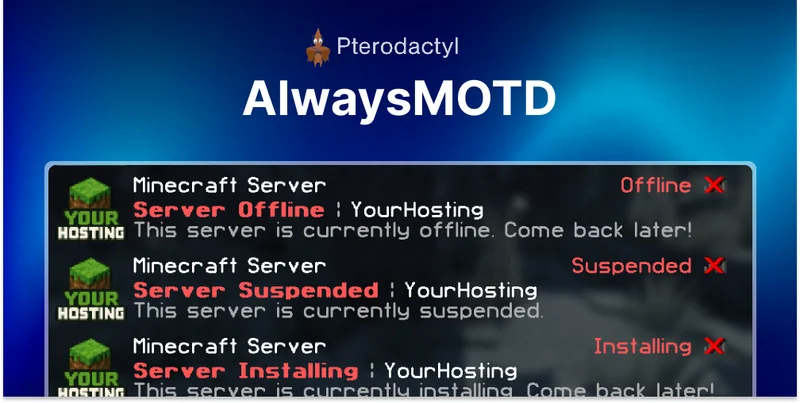 AlwaysMOTD Addon | Pterodactyl
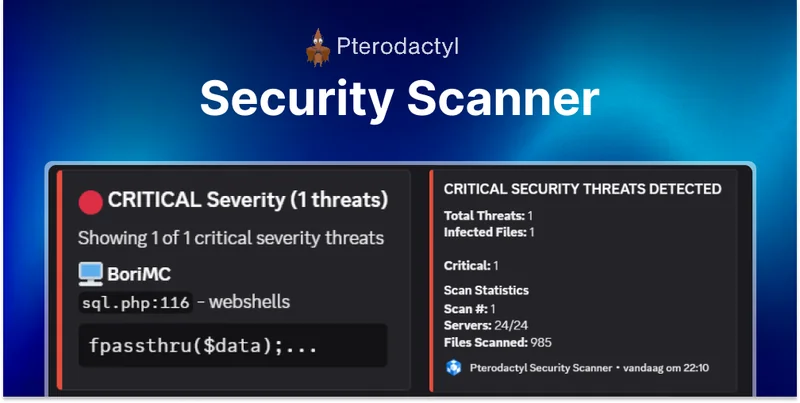 Security Scanner | Pterodactyl