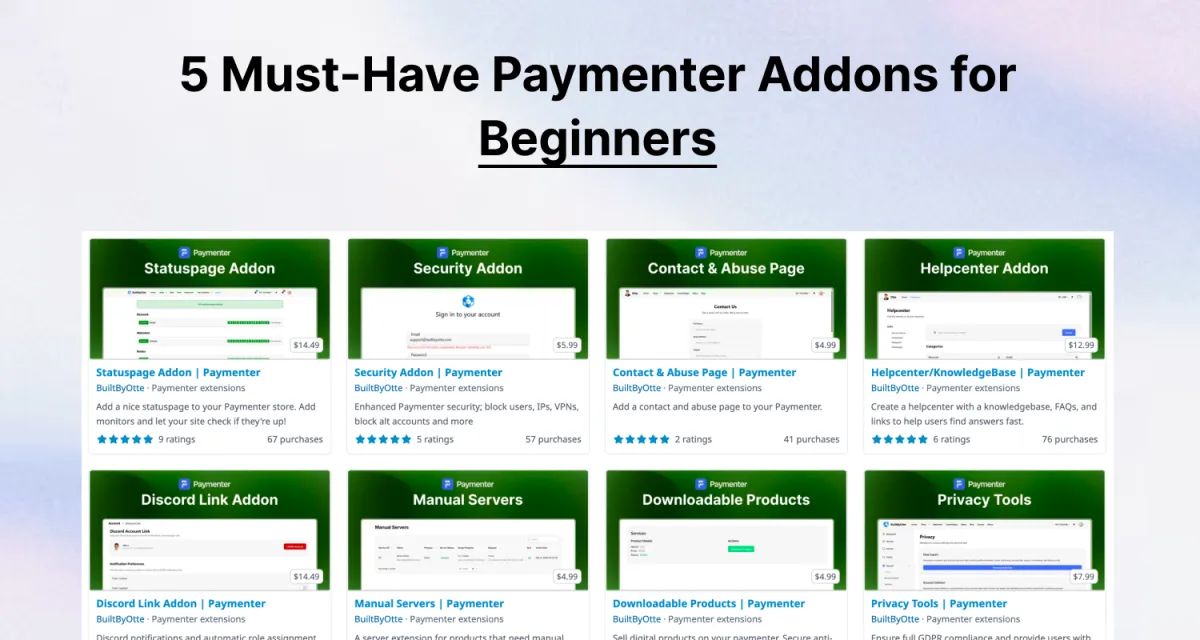
Starting a hosting business with Paymenter is exciting, but it can also feel overwhelming. With so many addons available, choosing the right ones to install first can make the difference between a smooth launch and a frustrating learning experience.
In this guide, we'll walk you through the 5 must-have Paymenter addons for beginners. These essential extensions will help you hit the ground running with a secure, professional, and feature-rich billing and hosting management system.
Why Addons Matter for Paymenter Beginners
Paymenter is powerful out of the box, but addons extend its functionality to cover essential business needs. Rather than building features from scratch, these addons provide proven solutions that the community has already tested and refined.
By starting with the right addons, you'll:
- Protect your installation from vulnerabilities and security threats
- Improve customer experience with better support and tools
- Save time on manual tasks and repetitive work
- Look more professional to clients and competitors
- Avoid costly mistakes by learning from proven solutions
1. Security Addon
Why It's Essential
Security should be your first priority. The Security Addon for Paymenter protects your installation by scanning for vulnerabilities, managing permissions properly, and implementing security best practices automatically.
As a beginner, you might not know all the security pitfalls. This addon acts as your security mentor, alerting you to potential issues before they become problems.
Key Features
- Vulnerability scanning to identify weak points in your setup
- Automatic security updates when patches are released
- Permission management to ensure proper access control
- Security alerts for suspicious activity
- Two-factor authentication for admin accounts
Cost
Typically $15-30 USD. This is an investment in your business stability and customer trust.
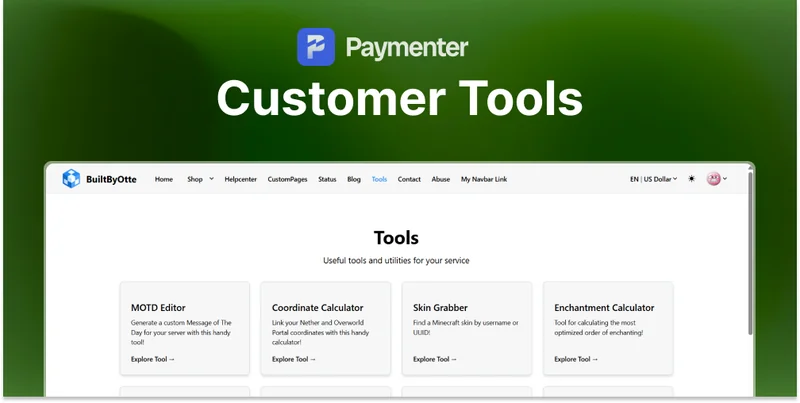
2. Customer Tools
Why It's Essential
Your customers need easy access to their services and settings. The Customer Tools addon provides a comprehensive dashboard where clients can manage their accounts, view billing history, and access support resources without contacting you.
This reduces support tickets and improves customer satisfaction dramatically.
Key Features
- Account management dashboard for customers
- Service management - start/stop/restart services
- Billing and invoice viewing
- Download history for purchased products
- Personal settings and profile customization
Cost
Usually $20-40 USD. Worth every penny in reduced support time.
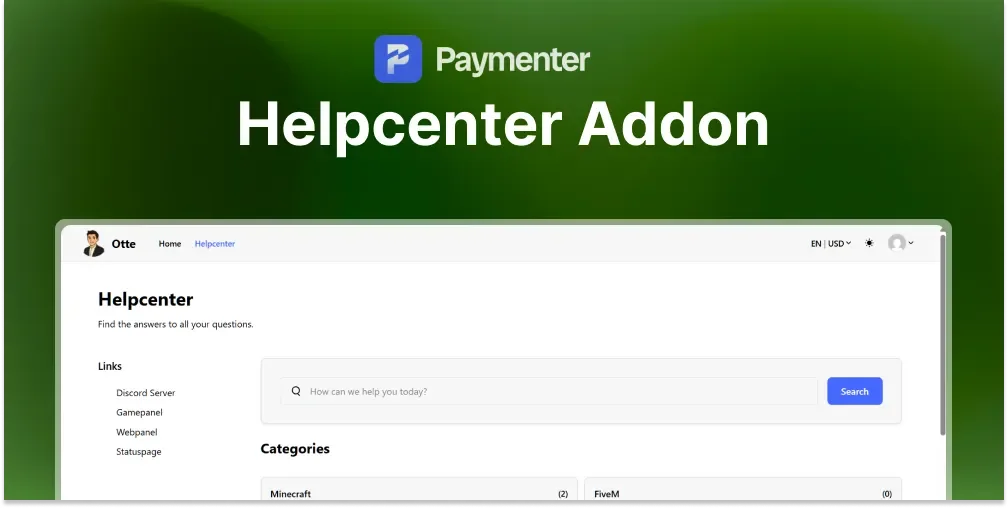
3. Helpcenter / Knowledge Base
Why It's Essential
Customers will have questions. Instead of answering the same questions repeatedly, the Helpcenter addon lets you create a self-service knowledge base where customers can find answers instantly.
This reduces your support workload significantly while improving customer experience.
Key Features
- Article creation and organization with categories
- Search functionality for customers to find answers quickly
- Rating system to identify helpful articles
- Community contributions where customers share tips
- FAQ sections specific to your services
Cost
Ranges from $10-25 USD. Saves countless hours of support time over the year.
4. File Browser
Why It's Essential
If you're offering file-based products (game server resources, templates, configs), the File Browser addon is essential. It lets customers download and browse files directly from your Paymenter installation with a professional file manager interface.
Key Features
- Professional file management interface
- Multiple file format support
- Download history tracking
- File organization with folders and categories
- Access control by customer or purchase
Cost
Usually $15-35 USD. Essential if you sell file-based products.
5. Manual Servers
Why It's Essential
Not all services are automated. The Manual Servers addon lets you list services that require manual setup or configuration. This is perfect for custom packages, consulting services, or special orders.
It keeps your entire product catalog in one place while allowing flexibility for manual offerings.
Key Features
- Custom server/service listings without automation
- Manual provisioning workflow with client notifications
- Service configuration options customized per offering
- Automatic billing even for manual services
- Status tracking for manual services
Cost
Typically $10-20 USD. Adds important flexibility to your offerings.
Installation and Setup Tips
Here's how to get these addons up and running:
- Purchase from BuiltByBit - Visit BuiltByBit and search for each addon
- Read the documentation - Each addon comes with setup guides
- Install one at a time - This makes troubleshooting easier if something goes wrong
- Test thoroughly - Use a staging environment if possible
- Configure properly - Don't skip the configuration steps
- Monitor for conflicts - Ensure addons work well together
Recommended Installation Order
For best results, install addons in this order:
- Security Addon first - Protect your installation immediately
- Customer Tools second - Fundamental for customer experience
- Helpcenter third - Reduce support burden
- File Browser and Manual Servers - Based on your specific needs
Avoiding Addon Overload
Don't try to install everything at once. Start with these 5, get comfortable with Paymenter, and then explore additional addons as your business grows.
Common mistakes beginners make:
- Installing 15+ addons immediately and becoming overwhelmed
- Not reading documentation before installation
- Skipping security addons to save money
- Not testing addons before going live
- Mixing incompatible addons
Why Choose Paymenter with These Addons?
Paymenter with the right addons offers better value than expensive alternatives like WHMCS. Instead of paying $2,000+ annually for a bloated system, you pay for exactly what you need with Paymenter's addon ecosystem.
Plus, the Paymenter community is actively creating new addons, so your options continue to grow.
Browse All Paymenter Resources
Ready to explore more Paymenter addons? Check out our curated collection:
- Browse Paymenter Addons and Themes - Security addons, customer tools, file managers, and more
- Top 5 Paymenter Themes 2026 - Enhance your visual design
- Best Marketplace to Buy Paymenter Extensions - Where to find quality addons
Next Steps
Now that you know which addons to install, here's your action plan:
- Visit BuiltByBit.com and search for these 5 addons
- Read reviews from other Paymenter users
- Purchase the addons that match your business model
- Follow the installation guides in order
- Configure each addon according to your needs
- Test everything in a staging environment first
- Launch with confidence!
Conclusion
Starting your hosting business with Paymenter and these 5 essential addons puts you on the path to success. Security, customer support, and proper tools are the foundation of a thriving hosting business.
These addons are worth their cost many times over through improved security, reduced support workload, and better customer satisfaction. Don't skimp on these fundamentals, your future self will thank you.
Ready to get started? Head to BuiltByBit and grab these addons today!
Common Questions About Paymenter Addons
Still have questions? Join our Discord community where experienced Paymenter users help beginners get started.
 Customer Tools | Paymenter
 Manual Servers | Paymenter
 Helpcenter/KnowledgeBase | Paymenter