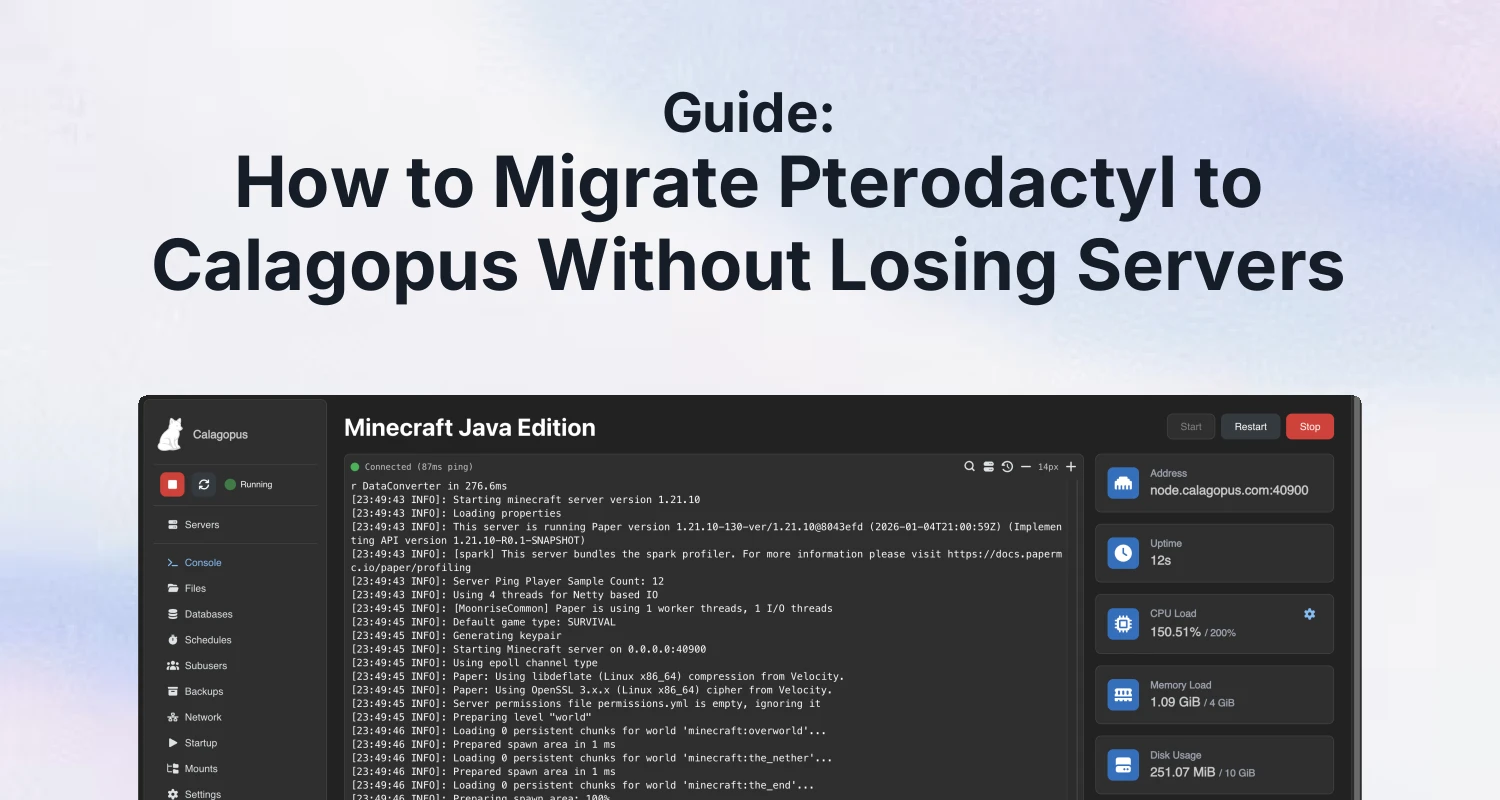
Short answer: yes, you can move an existing Pterodactyl install to Calagopus without rebuilding every node, egg and user account. Calagopus ships a built-in importer that reads your Pterodactyl panel database and writes the equivalent records into a fresh Calagopus database. Users, servers, nodes, allocations and eggs come across, and according to the official migration docs your users log in afterwards with the same credentials they already had. There is no server data to move, because the files stay where they are on the nodes.
The part that does break is your API keys. Pterodactyl hashes them with a different algorithm, so nothing can be carried over, and the Calagopus API is not compatible with Pterodactyl's anyway. Every external script, every automation, and - this is the one that matters for anyone reading this blog - every billing integration that provisions over the Pterodactyl API needs rewiring at the moment you switch. We'll come back to that, because it is the honest blocker for a production host, and it is also the thing we could not fully resolve before publishing.
What the importer actually does
The importer is a panel-database operation. It connects to your existing Pterodactyl database, walks the records, and creates matching ones in Calagopus. The docs describe it covering users, servers, nodes, allocations, eggs "and everything else", with progress logged to stdout. Small installs are described as finishing in seconds.
Two things follow from "panel database only":
- Your game server files are untouched. The importer never talks to your nodes. Worlds, plugins and configs sit on disk exactly as before.
- Wings is a separate step. The daemon on each node has to be updated to point at the new panel. The migration page links out to a "Wings - Updating" document for that.
Pterodactyl, in the docs' words, "comes in two flavors" - a standalone install and a Dockerised one - and the process differs slightly between them. There is a separate page for each: standalone and Docker. If you are not sure which you have, check whether there is a docker-compose.yml next to your install.
The order matters more than the commands
The single easiest way to make this migration painful is to install Calagopus the normal way and then try to import. Don't.
- Install Calagopus alongside your existing Pterodactyl. Pterodactyl stays running. Installation methods - binary, Docker, package manager - are documented on the Calagopus installation page.
- Stop at the Out-of-Box Experience screen. When the OOBE appears, leave it. Do not click through, do not create the admin user.
- Run the importer against an empty Calagopus database. This is why step 2 exists: the OOBE creates records - the admin user, default settings - that conflict with what the importer wants to write. If you have already completed the OOBE, the docs say to drop and recreate the database before importing.
- Update Wings on each node to point at the new panel.
- Generate new API keys and update every integration that used the old ones.
We are deliberately not printing an import command here. The exact command depends on how Calagopus itself was installed, and the docs put it behind per-install-method tabs that we could not read reliably from the outside. Open the migration page in a browser, pick your install method tab, and copy it from there rather than from a blog post.
Standalone versus Docker
The difference is almost entirely about how the importer reaches the old database.
| Standalone Pterodactyl | Dockerised Pterodactyl | |
|---|---|---|
| Source of connection details | The existing Pterodactyl .env | Usually you build a .env yourself |
| Why | Hostnames already resolve on the host | Database hostnames inside Docker networks don't match the original .env |
| Values needed | APP_URL, APP_KEY, DB_HOST, DB_PORT, DB_DATABASE, DB_USERNAME, DB_PASSWORD | |
| Where those live | The .env | Spread across docker-compose.yml and .env |
| Common gotcha | Database user host permissions | DB_HOST=database is a service name that won't resolve outside its network |
On Docker, the documented approach when running the importer inside a Calagopus container is to copy the .env and set DB_HOST=host.docker.internal, which the web service maps to the host gateway. The docs also mention an optional $PTERODACTYL_DIRECTORY shell variable - the example given is /srv/pterodactyl - purely to shorten the commands you type. It has no effect on the migration itself.
The error you will probably hit first
If the importer dies immediately with Host 'X' is not allowed to connect or Access denied for user, that is MySQL/MariaDB host-based access control, not the importer. The Docker page has a section on allowing the database user to connect from Docker. Fix the grant, run it again.
Coming from Pelican instead
Same importer, same story. The Pelican migration docs describe the same credential carry-over and the same API key caveat, and support MySQL, MariaDB or SQLite3. With SQLite, a relative DB_DATABASE path resolves relative to the .env file you pass in - an easy one to get wrong.
One caution: the Pelican page calls Wings a drop-in replacement for Pelican's node agent. That sentence is about Pelican. Do not read it as a statement about Pterodactyl Wings.
What we could not confirm - read this before you schedule a maintenance window
We would rather hand you a gap list than fill it with guesses. These are the things a production host needs answered, and the public docs did not answer them for us:
- The Wings step in detail. We could not open the "Wings - Updating" page. So: whether the binary is replaced or just reconfigured, how much downtime there is per node, and whether running game servers survive the switch - all unknown to us. Find out before you touch a node with customers on it.
- Whether Pterodactyl Wings works unchanged against Calagopus. Unverified.
- Billing-side provisioning. This is the big one. Given that API keys don't migrate and the APIs aren't compatible, anything that creates servers for paying customers automatically stops working the moment you cut over. We have not verified whether a Calagopus server module exists for Paymenter or WHMCS. Confirm that first; if there isn't one, your migration plan needs a manual provisioning answer for the gap.
- Blueprint extensions after migration. No source. If your panel leans on Blueprint addons, assume they don't come along until you have proof otherwise. Our Blueprint vs standalone comparison covers what that dependency looks like.
- Recovery from a partly-completed import. The docs have a sentence on this that we could only read in truncated form. Our assumption is drop and recreate, consistent with the empty-database requirement, but that is our assumption and not a quoted instruction.
- Canonical docs URL. There are currently two live paths for the same content -
/docs/additional/migrations/pterodactyl/*and/docs/advanced/migrating/pterodactyl-dockerized. Looks like a restructure in progress. Bookmark whichever one your browser lands on, not the one in a six-month-old forum reply. - Current version and production-readiness. We are not making a "you should switch now" call in this post. Calagopus is a Rust-built panel, and our Calagopus review is where we weighed it up as an alternative. Pterodactyl upstream, for context, is still shipping.
A rollback plan that costs you nothing
The nicest property of this migration is structural: the importer reads Pterodactyl and writes Calagopus. Your old panel is never modified. Install Calagopus alongside, import, and if you don't like what you see, Pterodactyl is still sitting there with its database intact.
The catch is Wings. Once you have repointed a node's daemon at the new panel, going back means repointing it again - and we could not verify what that involves. So the sane sequencing is: import, poke at the Calagopus panel with real data for as long as you need, and only then start moving nodes. Treat the database import as low-risk and the Wings step as the actual cutover.
We would also do a full database backup of Pterodactyl before any of this, not because the importer is described as destructive, but because "drop and recreate the database" appears twice in the recovery advice and you want to be sure you are dropping the right one.
After the switch
Once you're on Calagopus, most of the panel add-ons you were running on Pterodactyl won't follow you. We've ported one of ours so far: AlwaysMOTD for Calagopus ($4.99) does the same job as AlwaysMOTD for Pterodactyl ($11.99, 144 purchases, 5.0/5 from 14 reviews) - showing customers instantly whether a server is offline, installing, starting or suspended, instead of leaving them staring at a blank console. Setup notes for both are in the docs. That's the whole plug; the value of this post is the ordering and the gap list, not the add-on.
If you're weighing the move at all, the context worth reading alongside this is our post on the Infraly acquisition, which is why a lot of hosts started asking the question in the first place. And if you get further than we did on the Wings step or on billing-side provisioning, tell us in our Discord - we'll update this guide with what you find.
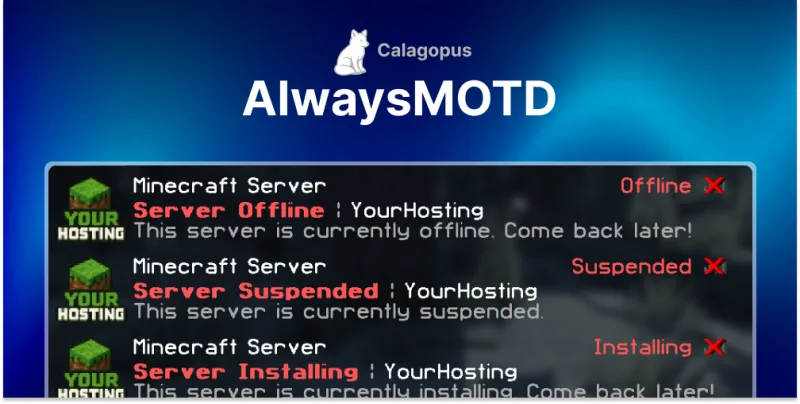 AlwaysMOTD Addon | Calagopus